RAM Price Alerts in 2026: How to Set a Threshold That Actually Fires
Key takeaways
- A threshold under 5% does nothing a 5% threshold would not. Our engine only emits a price event at 5% or more against the 24-hour baseline, or 10% or more against the seven-day one. Your watch filters those events; it cannot create smaller ones.
- In practice the seven-day window is the one that fires. A baseline needs 3 observations inside its window, and a listing re-priced every 48 to 240 hours rarely has that many inside a 24-hour one. Treat 10% as the working floor.
- Set it above the retailer spread. The widest gap we currently hold on an identical part is 2.6% between Newegg and B&H Photo Video. A threshold under that fires on which shop answered, not on the market.
- You get one alert per direction per day. A same-direction repeat inside 24 hours is suppressed unless the move deepens by another 3 percentage points. A reversal always gets through.
- Silence is usually the part being out of stock, not a broken alert. An out-of-stock listing carries no price at all in our data, so it cannot move and cannot trigger anything.
- What has to happen before an alert fires
- Your threshold is a filter, not a trigger
- Why the seven-day window is the one that fires
- The noise floor: the same part at two retailers
- How far prices actually move around here
- Four thresholds worth setting
- Why you will not get a second email the same day
- What your plan lets a watch do
- Five ways a threshold quietly never fires
- Related reading
- FAQ
You set a RAM price alert at 2%, waited a month, and heard nothing — so you assume the tracker is broken. It is not. Almost every price alert product, ours included, runs a detection floor underneath your number, and a threshold below that floor is arithmetic that never gets evaluated. With DDR5 kits moving by hundreds of dollars a year and TrendForce forecasting conventional DRAM contract prices up 13–18% quarter over quarter in 3Q26, a watch that silently cannot fire is an expensive thing to own.
This page is written from the inside. The percentages below are imported directly from the detection module that enforces them and the tier table that gates delivery, so they cannot drift from what the product does. Every price is an observation from our own scrapes with a date attached, rendered when the page was built.
What follows is the full chain: the four gates a move has to pass, why your number sits at the end of that chain rather than the start, the two floors underneath it, and the four settings we would actually recommend. If you only take one thing, take the working floor of 10%.
What has to happen before an alert fires
An alert is the last link in a chain, and the chain runs on our schedule rather than yours. A scraper records a price for one listing at one retailer. That observation is compared against a baseline built from that same listing’s recent history. If the difference clears the engine floor, a price event is written. Only then does anything look at your watch.
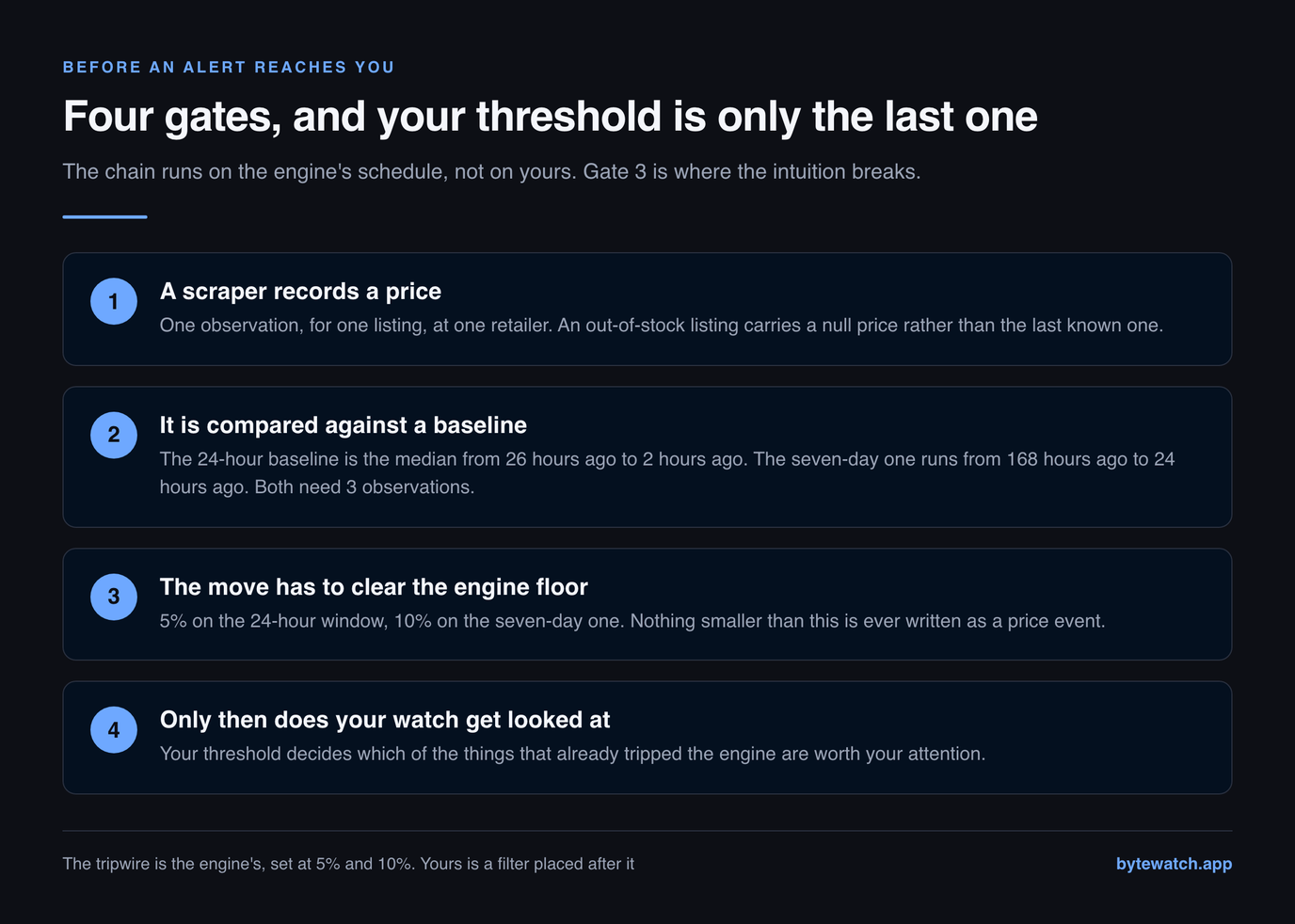
| Gate | Value | What it means |
|---|---|---|
| 1. A fresh in-stock price | observed, priced, in stock | An out-of-stock listing carries a null price by design, and detection skips it entirely. No observation, no move, no alert. |
| 2. A baseline to compare against | 3+ observations in the window | The baseline is the median of that listing's own prices between 26h and 2h ago, or between 7d and 1d ago. Below 3 samples it returns nothing rather than guessing. |
| 3. A move that clears the engine floor | 5% on 24h, 10% on 7d | This is the gate people miss. The engine emits a price event only at or above these magnitudes. Nothing smaller exists to alert on. |
| 4. Your own threshold and direction | whatever you set | Your watch filters the events from gate 3. It matches when the move magnitude is at or above your threshold and the direction agrees. |
Read gate 3 twice, because it is where the intuition breaks. Most people picture a price alert as a tripwire: you name a number, and the moment the price crosses it an email leaves. That is not how a percentage-based alert works on any tracker that batches its scraping, which is all of them. The tripwire is ours, set at 5% and 10%. Your threshold decides which of the things that already tripped it are worth your attention.
Your threshold is a filter, not a trigger
The consequence is blunt: any threshold at or below 5% behaves identically. Set 1%, set 3%, set 5% — all three match every price event the engine can produce, because the smallest event that exists is already 5%. Setting 1% feels more sensitive and is not. It is the same watch with a more anxious label.
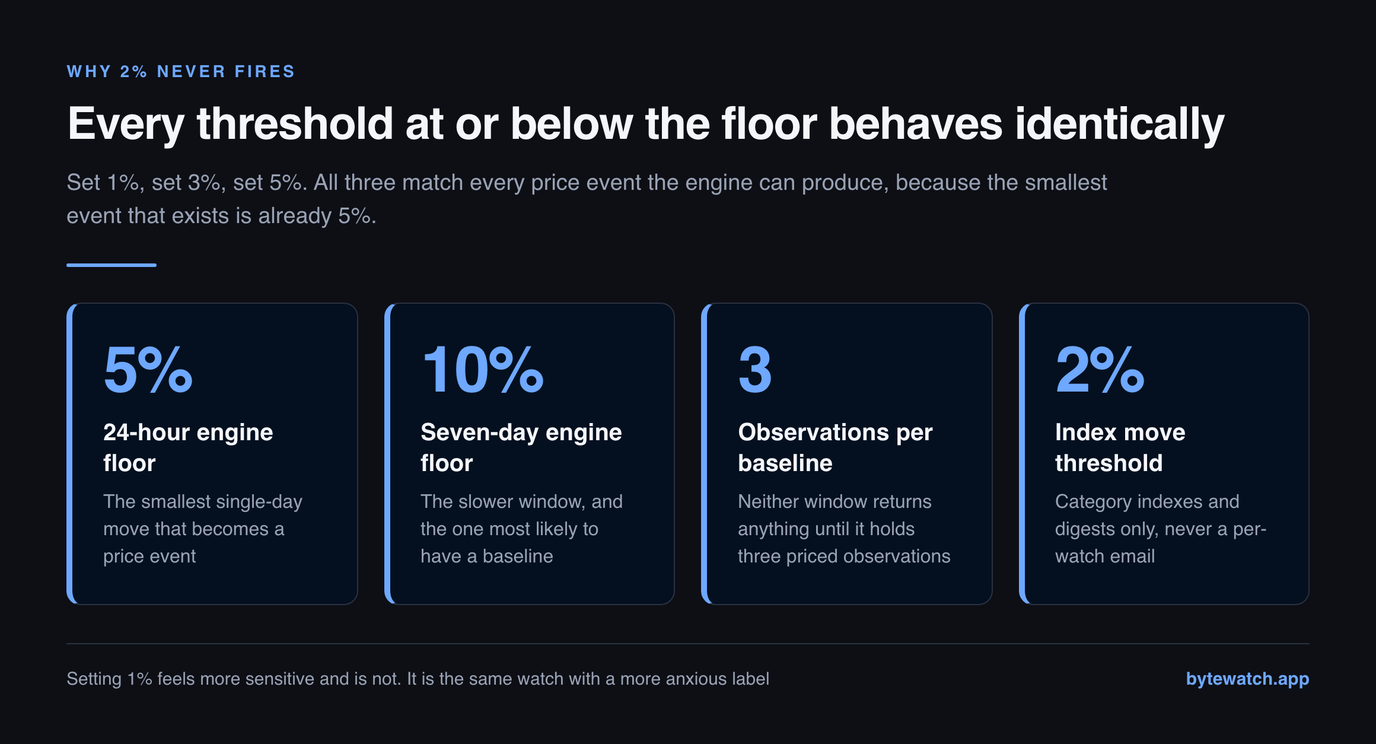
Above the floor, your threshold does real work. At 10% you are asking to hear about drops that are twice the minimum the engine will report. At 20% you are asking for the kind of move that happens to a component category a handful of times a year, and you should expect long silences and mean it when you say you want them.
Why the seven-day window is the one that fires
There are two baselines, and they are not equally reachable. The 24-hour baseline is the median of a listing’s prices from 26h ago to 2h ago; the seven-day one runs from 7d ago to 1d ago. Both end short of the present on purpose, so a brand-new move can never end up inside its own baseline and quietly dilute itself.
Both also need 3 observations before they will return anything. That is where cadence decides the outcome. Our current preset re-prices a hot listing every 48 hours and everything else every 240 hours, which means a 24-hour window usually contains zero observations, not 3. Scrape frequency is configuration rather than code here, so it changes without a deploy — but on any cadence measured in days, the seven-day baseline is the one carrying the load.
This is also why comparing alert products on their advertised sensitivity is a waste of time. A tracker that lets you type 1% into a box, checks its listings twice a day and computes a move against yesterday will not tell you about smaller price changes than we do. It will tell you about them with more confidence.
The noise floor: the same part at two retailers
There is a second floor underneath your threshold, and this one is the market’s rather than ours. The same part, on the same day, carries different prices at different retailers. Because we take the cheapest in-stock offer per SKU, a threshold narrower than that gap can be tripped by nothing more than which retailer we happened to scrape most recently.
| Tracked part | Cheaper | Dearer | Premium |
|---|---|---|---|
| Samsung 990 Pro 2TB NVMe Gen4 SSD | Newegg $379.99 | B&H Photo Video $389.99 | 2.6% |
Today the widest gap we hold is 2.6% on Samsung 990 Pro 2TB NVMe Gen4 SSD, comfortably inside our 5% floor. That is a quiet market rather than a permanent state: the same table has carried double-digit gaps, and when it does, a tight threshold turns into an alert about shop pricing rather than about memory.
You can see the same effect part by part on our RAM price chart and SSD price chart, both of which print the retailer and the observation date beside every figure.
How far prices actually move around here
A threshold is a claim about scale, so it helps to know the scale you are working in. Two numbers set it: how far apart the parts inside a category sit right now, and how far the category as a whole has moved.
| Category | Median $/GB | Cheapest | Dearest | Dearest ÷ cheapest | SKUs |
|---|---|---|---|---|---|
| DDR5 memory | $17.47 | $14.37 | $20.31 | 1.4× | 7 |
| DDR4 memory | withheld | $7.50 | $9.37 | 1.3× | 4 |
| NVMe Gen4 SSD | $0.200 | $0.171 | $0.234 | 1.4× | 7 |
The last column is the one to sit with. Where the dearest gigabyte in a category costs several times the cheapest, most of the variation you could alert on lives between products rather than inside one over time — and no percentage threshold on a single watch will surface it. That is a shortlist problem, and it belongs on the tracked SKU list rather than in your inbox. We take the median across SKUs and withhold it below 5 SKUs rather than let a thin category pose as a market rate.
Here is what the categories themselves have done across the window we hold:
The largest of those is DDR5 memory at +7.5% between Aug 1, 2026 and Aug 13, 2026. Set your threshold against that kind of number rather than against a headline: a category that moved by that much over months is not going to hand you a 25% single-listing drop every week. We explain the difference between contract, spot and shelf pricing in our DDR4 versus DDR5 price comparison, and the supply story behind the moves in why RAM prices are so high.
Four thresholds worth setting
Enough theory. These are the settings we would defend, each tied to a reason rather than to a feeling about how closely you want to watch.
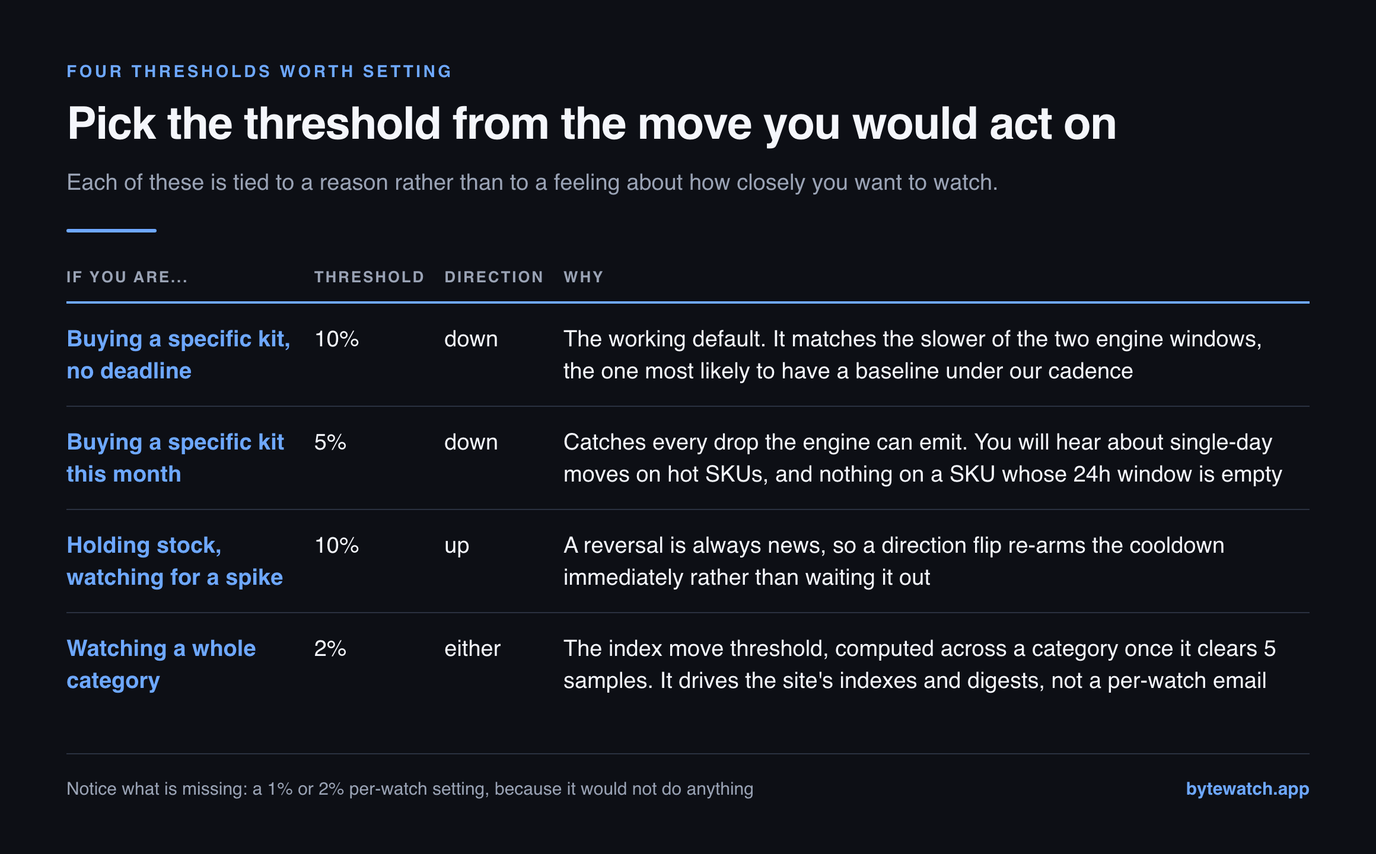
| If you are | Threshold | Direction | What it does here |
|---|---|---|---|
| Buying a specific kit, no deadline | 10% | down | The working default. It matches the slower of the two engine windows, which is the one most likely to have a baseline under our cadence. |
| Buying a specific kit this month | 5% | down | Catches every drop the engine can emit. You will hear about single-day moves on hot SKUs, and nothing at all on a SKU whose 24h window is empty. |
| Holding stock, watching for a spike | 10% | up | A reversal is always news, so a direction flip re-arms the cooldown immediately rather than waiting it out. |
| Watching a whole category | 2% | either | The index move threshold, computed across a category once it clears 5 samples. It drives the site's own indexes and digests, not a per-watch email. |
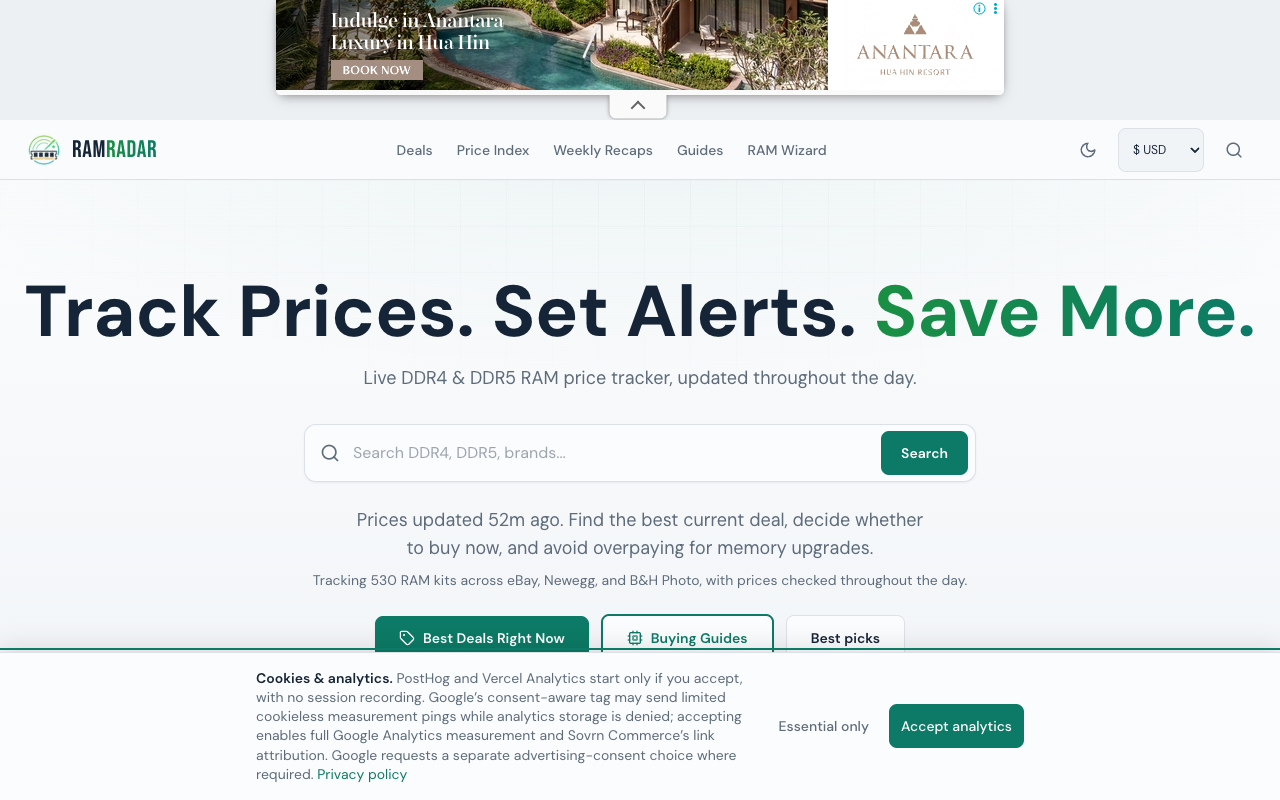
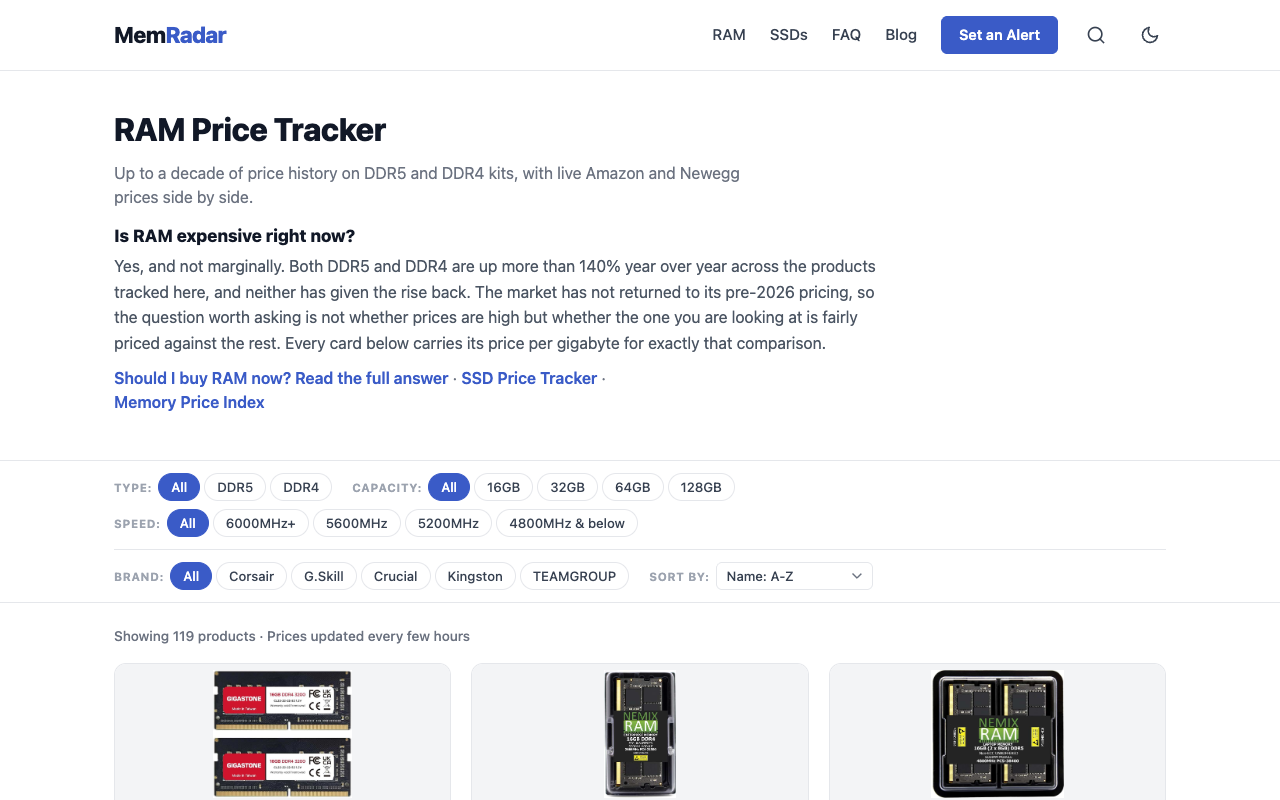
Notice what is missing: a 1% or 2% per-watch setting. It is missing because it does not do anything, and a product that let you set it without saying so would be selling you a feeling of control. The competing RAM trackers mostly sidestep this by asking for a target price instead of a percentage — MemRadar asks for a target price and emails you when a product reaches it, and RamRadar frames its alerts around a kit hitting your target or an all-time low.
A target price is a perfectly good mental model and it dodges the floor problem entirely, because a fixed number does not care how the move was computed. It also cannot tell you that a part fell 12% and is still expensive. Percentages answer “did something change” and targets answer “can I afford it yet”. If you know the number you would pay, the target is the better instrument, and the tables on this site exist to help you pick one.
Why you will not get a second email the same day
A price that falls 10% today has an awkward habit of falling another 1% tomorrow, and a naive alert system emails you both times. Ours does not. After an alert fires on a listing, a same-direction repeat inside 24 hours is suppressed.
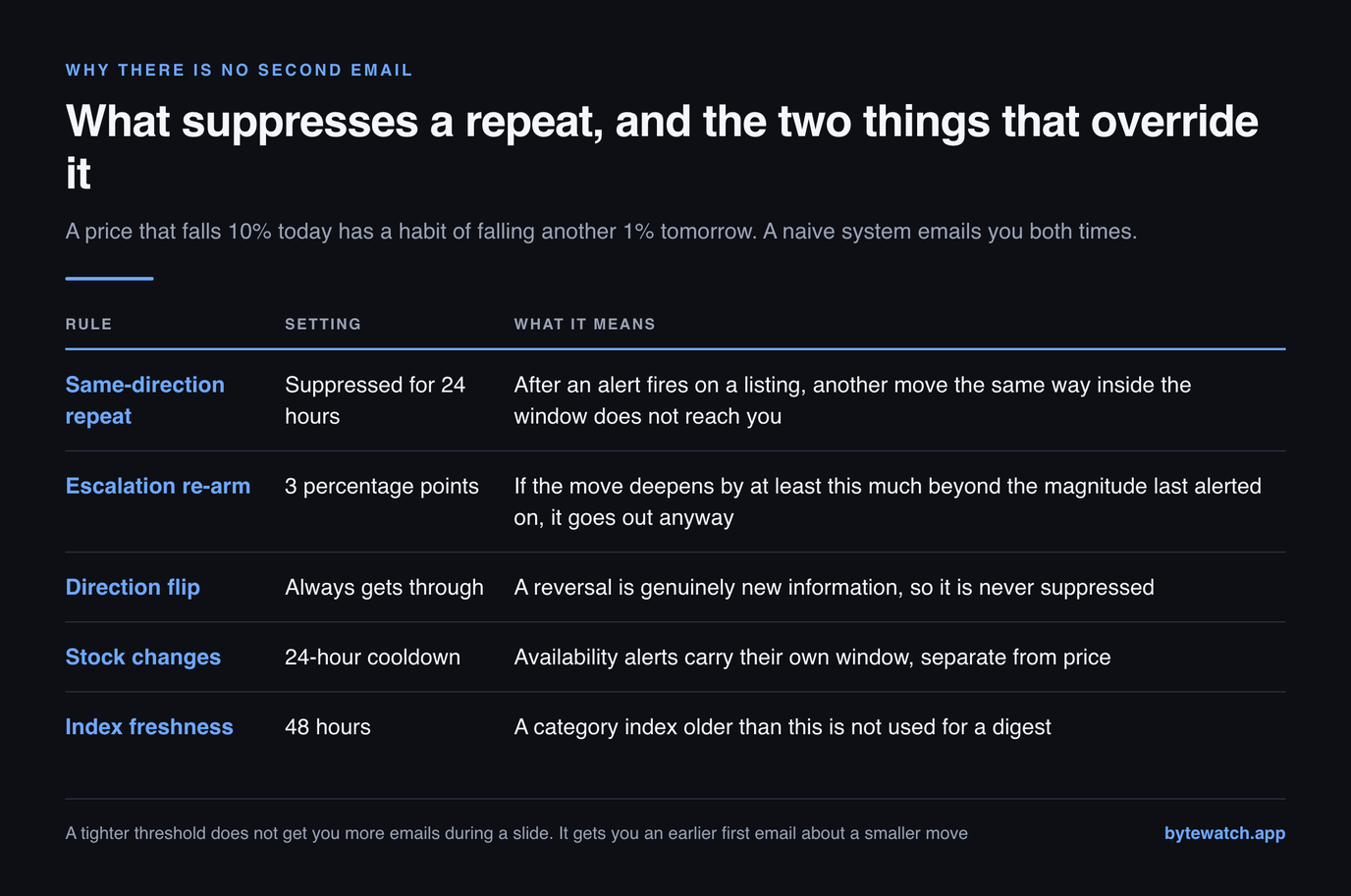
Two things override that. If the move deepens by at least 3 percentage points beyond the magnitude we last alerted on, the escalation is worth an interruption and it goes out. And a direction flip always gets through, because a reversal is genuinely new information: a part that dropped 10% yesterday and is climbing today is a different situation from the one you were told about.
What your plan lets a watch do
One more reason a correctly-set threshold produces no email: the plan it sits on. Watch caps and instant delivery are gated, and a matched watch on a plan without instant alerts is recorded rather than sent.
| Plan | Active watches | Instant alerts | Digests |
|---|---|---|---|
| Free | 1 | recorded, not sent | weekly |
| Pro · $29/mo | 10 | yes | weekly |
| Team · $99/mo | unlimited | yes | daily + weekly |
We record those suppressed matches deliberately, and we would rather say why than pretend it is a technicality: it is how we know the free tier is producing real matches, and it is the honest version of a paywall — the watch worked, the email did not go. Full detail sits on the pricing page. There are no affiliate links anywhere on this site and we take no commission on anything you buy, so the plan is the only thing we are selling you.
Five ways a threshold quietly never fires
In rough order of how often each one turns out to be the answer when a watch has been silent for a month:
- The part is out of stock. An out-of-stock observation carries a null price rather than the last known one, because carrying a price forward would be inventing an observation. No price, no move, no alert — and a part can sit like that for weeks during a shortage.
- The threshold is under the engine floor. It is matching everything and creating nothing. See the first two sections.
- The direction is wrong. A watch set to down ignores every spike, which is exactly what you want until the week you needed to know that your build got more expensive.
- The baseline never populated. A listing added recently, or one on the slow end of our cadence, may not yet hold 3 priced observations inside either window. New watches are quietest in their first fortnight.
- Nothing actually happened. Worth ruling in as well as out. Check the category move above and the SKU history on its product page before assuming the plumbing is at fault.
If none of those explain it, the fault is ours and we would like to know. That is a more useful sentence than a support macro, because four of those five are things you can check yourself in about a minute.
Related reading
FAQ
What percentage should I set a RAM price alert to?
Start at 10% and move up if you hear from us more often than you want to act. Our detection engine emits a price event only when a listing moves at least 5% against its 24-hour median baseline or 10% against its seven-day one, and because a 24-hour window rarely holds enough observations at our scrape cadence, 10% is the setting that reliably corresponds to a real event.
Why did my price alert never fire?
The five usual causes, in order: the part was out of stock so no price was recorded at all; your threshold sat below the 5% engine floor and was matching events that were never created; the watch direction excluded the move that happened; the listing had fewer than 3 priced observations inside either baseline window; or nothing on that listing actually moved far enough. Four of those five you can check yourself from the product page.
Does a lower threshold mean more alerts?
Only above the floor. Any threshold at or below 5% matches exactly the same set of events, because 5% is the smallest move the engine will report. Setting 1% instead of 5% changes nothing except how sensitive the setting feels.
Why did I not get a second alert when the price kept falling?
A same-direction repeat on the same listing inside 24 hours is suppressed on purpose, so a slow slide does not become a stream of emails. It is overridden in two cases: the move deepens by at least 3 percentage points beyond the magnitude we last alerted on, or the direction flips, since a reversal is always news.
Should I use a percentage threshold or a target price?
Use a target price if you already know the number you would pay, because it is immune to how the move was computed and it answers the question you actually have. Use a percentage when you are tracking whether a market is moving rather than waiting for one part to become affordable. Several RAM trackers, MemRadar and RamRadar among them, are built around the target-price model; the two approaches answer different questions rather than competing.
How often does ByteWatch check prices?
Our current cadence preset re-prices a hot listing roughly every 48 hours and the rest roughly every 240 hours. Scrape frequency is configuration rather than code, so it changes without a deploy, and that is deliberate: raising cadence is a cost decision. What it means for you is that alerts here describe moves over days, not minutes, and any tracker promising per-minute precision on the same free scraping budget is describing an ambition.
Can I set a price alert on the free plan?
You can set 1 watch on the free plan, and it will match real events, but instant alerts are a paid feature: a matched free-tier watch is recorded rather than emailed. The weekly digest is included on every plan. Pro at $29 a month raises the cap to 10 watches with instant delivery, and Team at $99 adds unlimited watches, the daily digest and API access.
Do alerts fire on price increases as well as drops?
Yes, if you set the direction to up or to both. Spike alerts matter more than people expect during a shortage: knowing that a kit on your shortlist has climbed 10% is what tells you to buy the one you were deferring. It is also worth setting a threshold above the retailer spread, which currently runs to 2.6% on the widest identical part we track.
Set the number once, then stop checking
We track DDR5, DDR4 and NVMe listings across Newegg and B&H and tell you when one of yours crosses your threshold. No deal scores, no affiliate links, no commission on anything you buy — observed prices, dated, and what they mean.